成绩单及其他证明申请流程Transcript and other Certificate Application Process
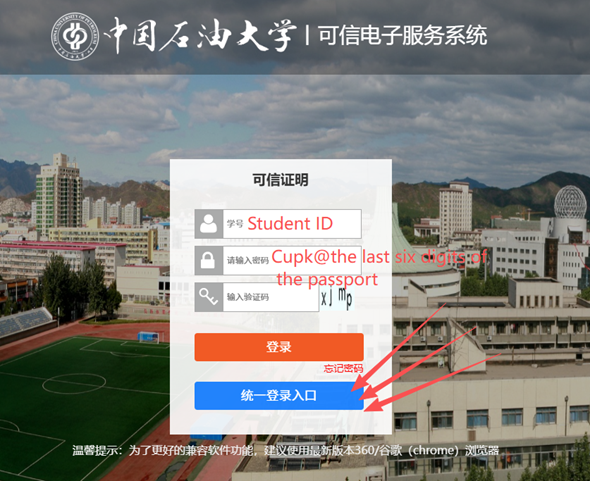
1. 使用统一登录入口登录可信网(Kexin Website)https://transcript.cup.edu.cn/。
Click【统一登录入口】to log in Kexin Website https://transcript.cup.edu.cn/.
2. 材料清单Available Documents
序号 | 文件名称 |
1 | 中国石油大学(北京)研究生成绩单说明 Transcript Instructions of Postgraduate Student of China University of Petroleum, Beijing |
2 | 研究生存档材料情况证明 Certification of Archived Materials of Postgraduate Student |
3 | 研究生预毕业证明(中文) Pre-graduation Certificate of Postgraduate Student(Chinese) |
4 | 研究生预毕业证明(英文) Pre-graduation Certificate of Postgraduate Student(English) |
5 | 在读证明(研究生) Certification of Registration |
6 | 中文成绩单 Transcript(Chinese) |
7 | 英文成绩单 Transcript(English) |
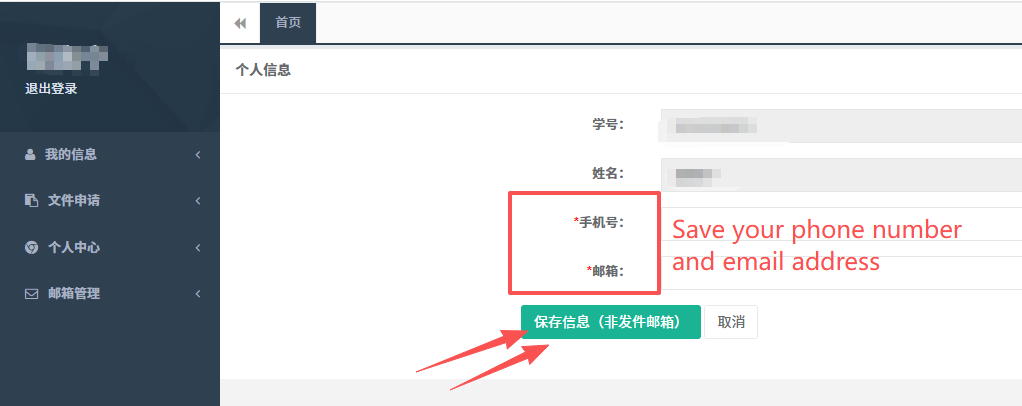
3. 填写个人手机号和邮箱,点击保存信息“非发件邮箱”。
Fill in your phone number and email address, then click【保存信息“非发件邮箱”】to save the message.
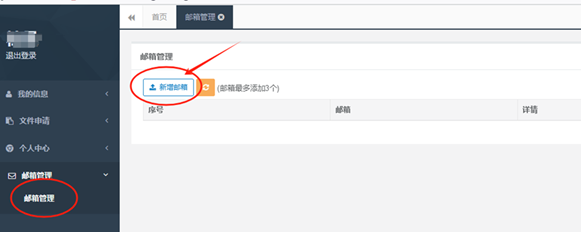
4. 新增邮箱。You can add an additional email address here.
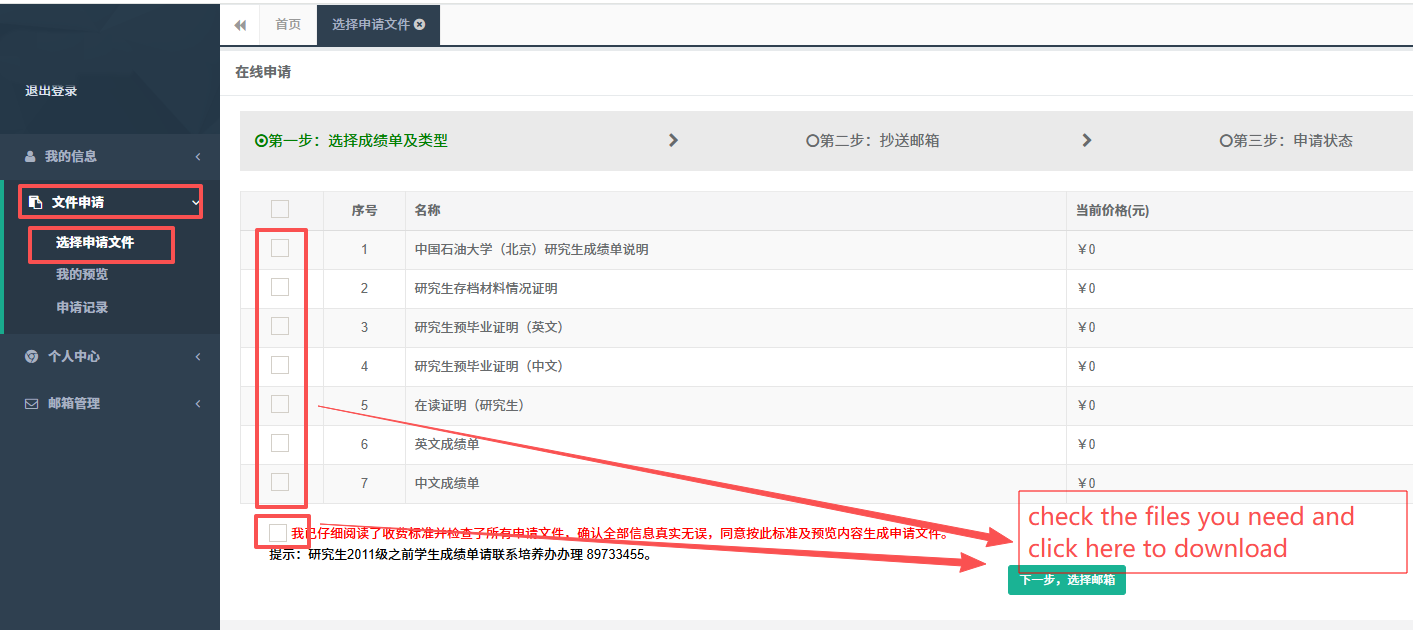
5. 选择你需要的文件,点击“下一步,选择邮箱”。
Select the file you need and click【下一步,选择邮箱】
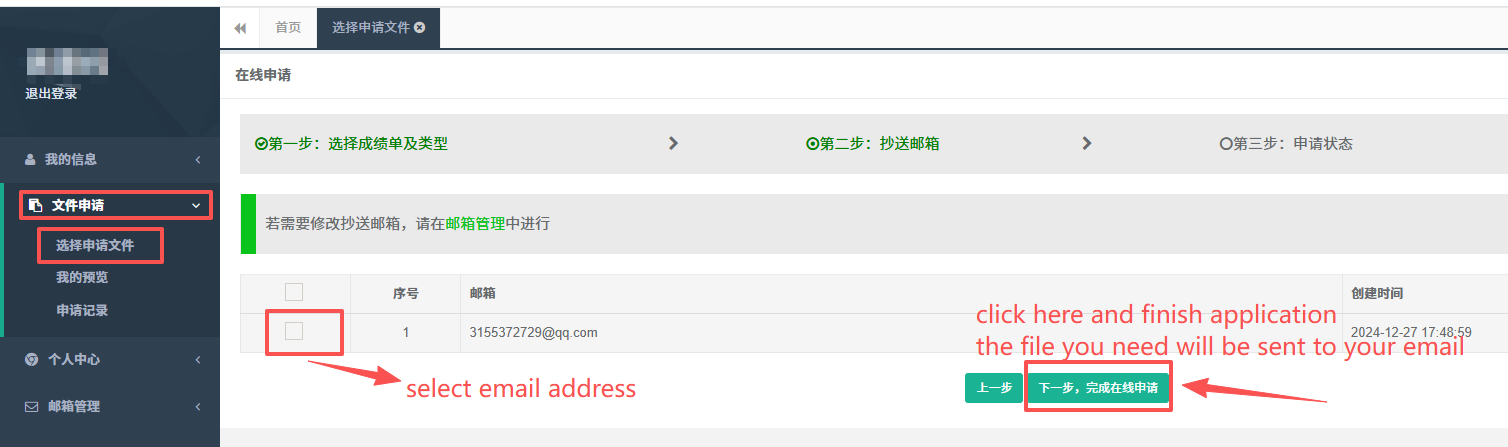
6. 选择邮箱,点击“下一步,完成在线申请”。你申请的文件将会发送到你选择的邮箱中。
Select email and click【下一步,完成在线申请】. The file will be sent to your email address.

 当前位置:
当前位置: